
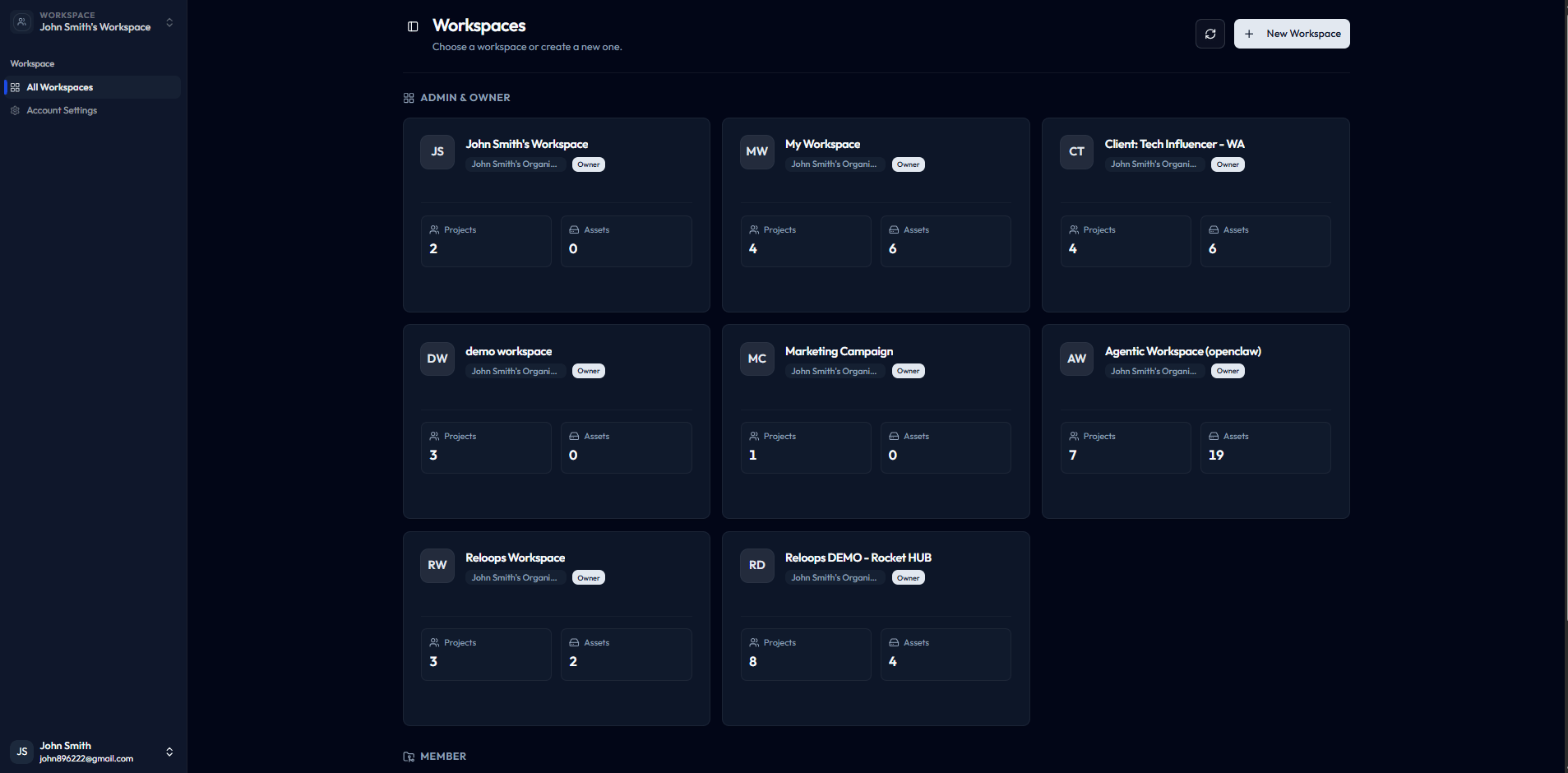
The workspaces index shows every workspace you belong to as a card grid.
What a workspace contains
Each workspace holds the full set of resources your team needs to run creative reviews:- Projects and assets - all the files your team uploads, organizes, and reviews
- Collections - saved, reusable views that group assets across projects
- Team members and AI agents - the people and automations with access to work in the workspace
- Settings, storage, and billing - workspace-level configuration that applies to everyone inside it
Open the workspace that matches the client or team you are working with before uploading files or inviting reviewers.
When to create separate workspaces
Use a separate workspace whenever work needs a clear boundary. Common scenarios include:- Different clients - keep assets, feedback, and reviewers siloed per client engagement
- Separate brands - manage distinct brand identities without cross-contamination of files or members
- Independent production teams - give each team its own storage quota, billing limits, and member roster
Create or join a workspace
To create a workspace:- Navigate to
/workspacesin Reloops. - Click New Workspace on the workspaces index page.
- Name your workspace to reflect the client, brand, or team it represents.
- Configure initial settings and invite your first members.
/workspaces page and you can switch into it immediately.