
Create a project
Navigate to your workspace and follow these steps to create a new project.1
Open the correct workspace
Select the workspace you want to create the project in from the workspace switcher.
2
Go to Projects
Click Projects in the left-hand navigation to open the Projects page.
3
Select New Project
Click the New Project button to open the Create New Project modal.
4
Choose a template or start empty
Select a template to get a pre-built folder structure, or leave the template unselected to start with an empty project.
5
Confirm and create
Name your project and click Create to finish. Your new project opens immediately and is ready for uploads.
Social Media Template
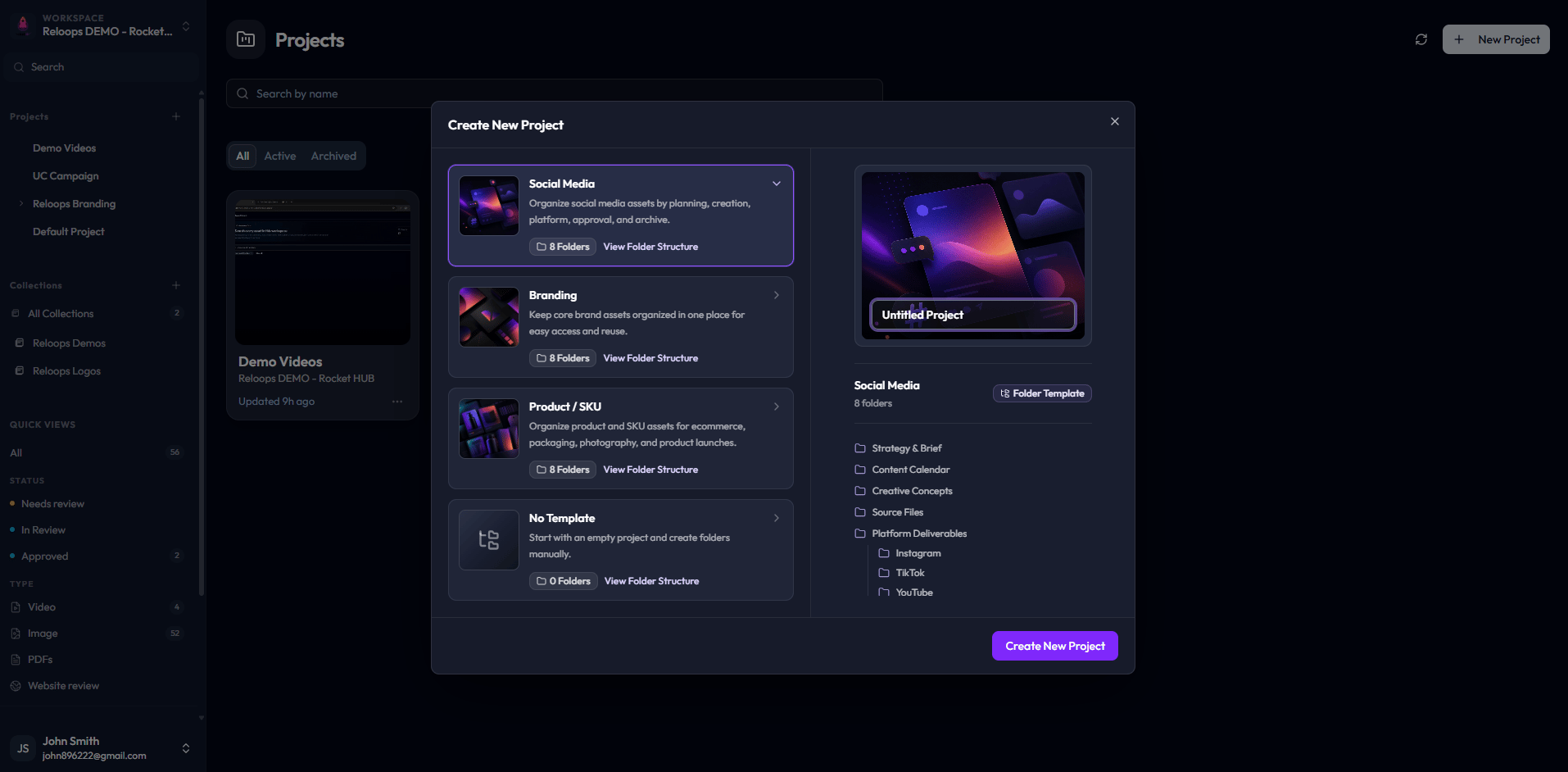
Create New Project modal with the Social Media template selected.
Branding Template
Selecting the Branding template deploys a pre-configured architecture tailored for brand identity creation, corporate refreshes, and style guide development. This framework automatically populates specialized folders for Brand Assets, Logos, Typography, Imagery and Mockups, and Final Style Guides. It is built to keep foundational brand rules and structural design variations organized independently, ensuring internal creators and external stakeholders can audit visual systems cleanly. Use this template when launching a brand identity from scratch or managing comprehensive asset updates for a corporate identity system.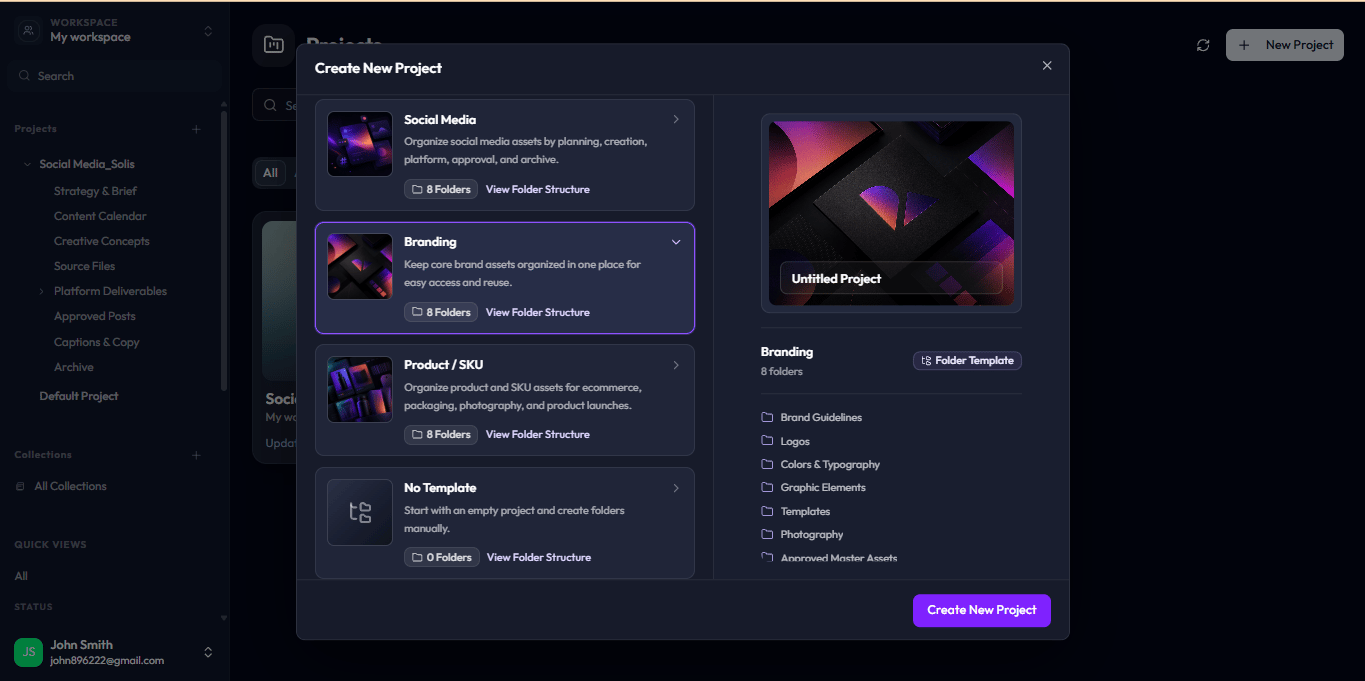
Create New Project modal with the Branding template selected.
The Product / SKU Template
Select the Product / SKU template when you need to organize product and SKU assets specifically tailored for e-commerce environments, packaging designs, product photography, and full-scale product launches. Like the others, this framework initializes a system of 8 pre-built folders designed to handle complex physical or digital product asset variations during high-volume review cycles.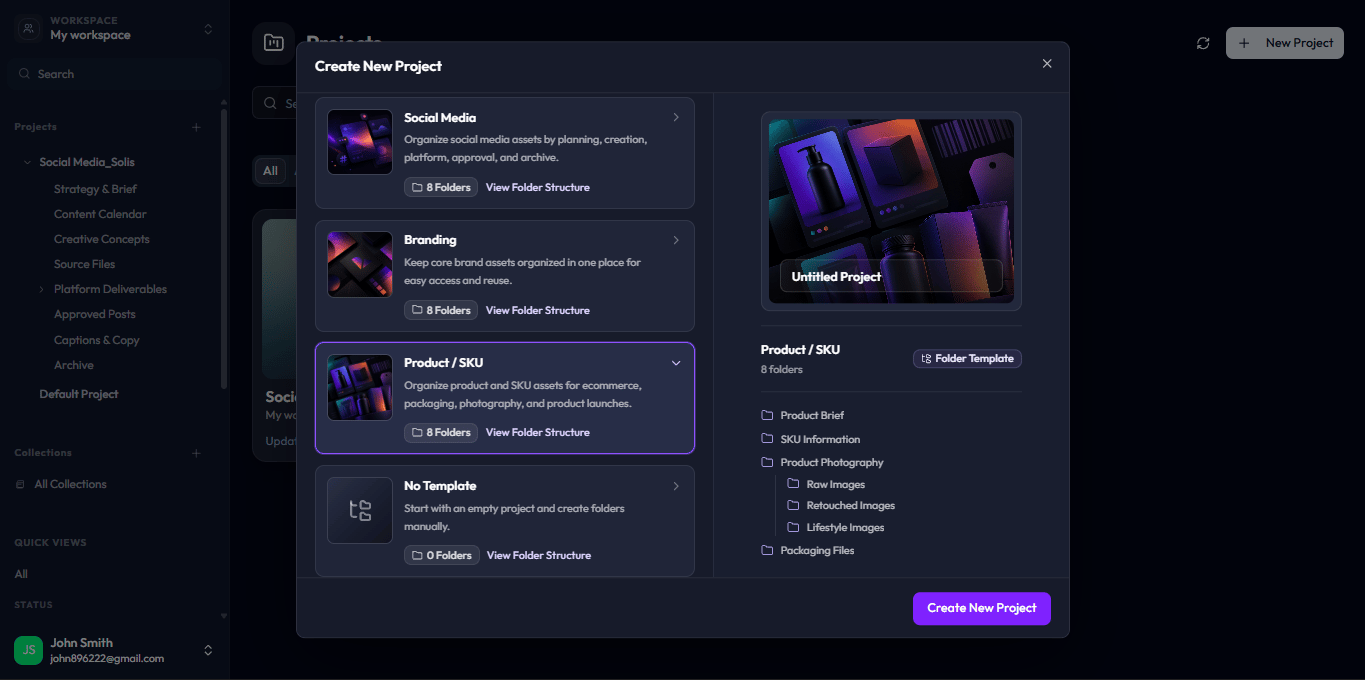
Create New Project modal showcasing the Product / SKU template option.
No Template (Blank Canvas)
If you prefer total flexibility, select the No Template option. This allows you to start with a completely empty project directory containing 0 pre-built folders. Choose this configuration when you want to design, name, and construct your own folder systems manually to fit highly specialized or custom operational pipelines.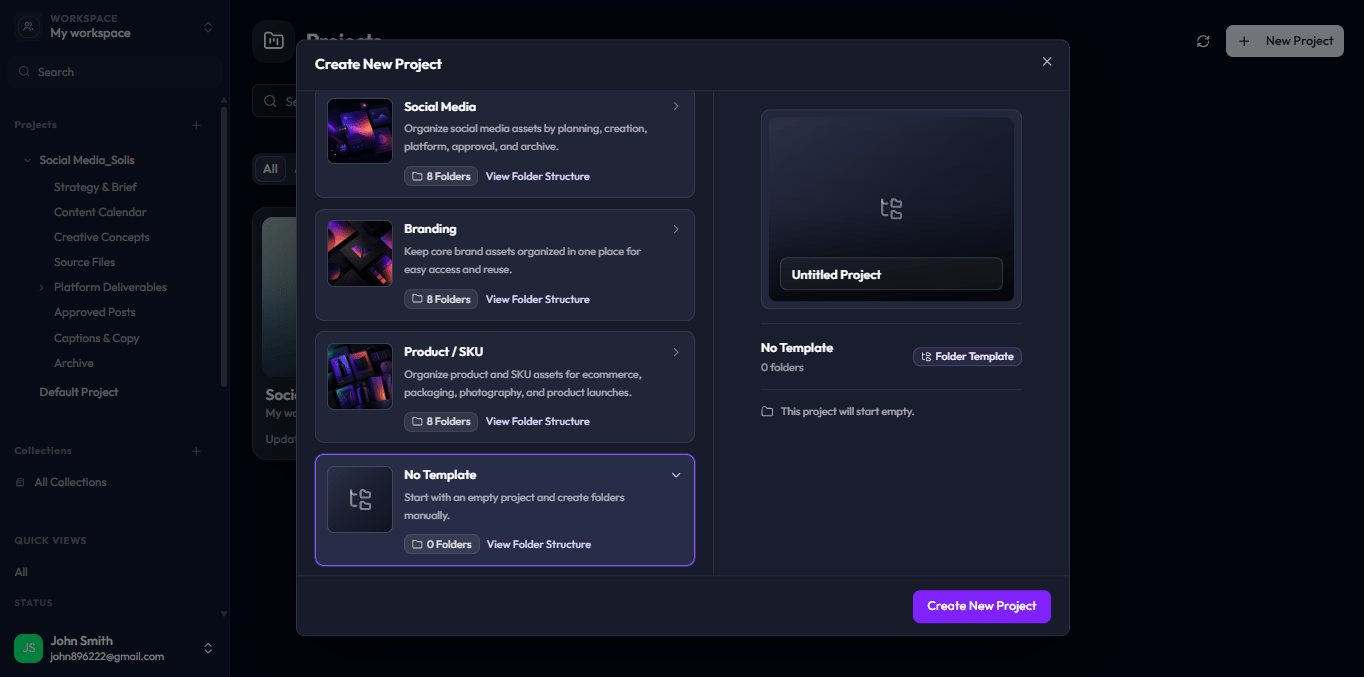
Create New Project modal showing the No Template selection.