> ## Documentation Index
> Fetch the complete documentation index at: https://docs.reloops.app/llms.txt
> Use this file to discover all available pages before exploring further.
# Workspaces: Organize Projects and Teams in Reloops
> Create and manage workspaces in Reloops to keep projects, assets, team members, and billing completely separate for each client or brand.
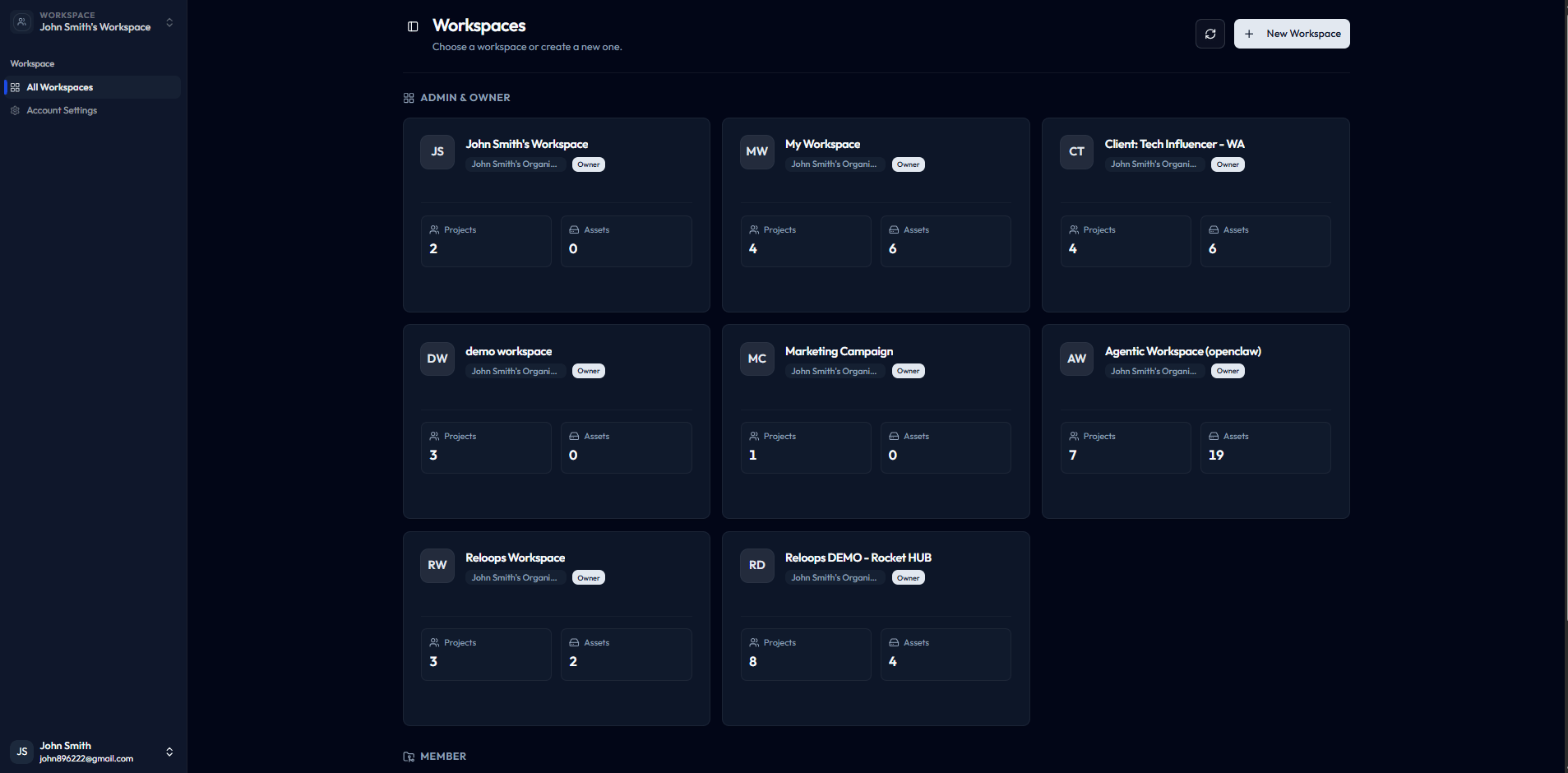
A workspace is the top-level container for all your work in Reloops. Everything you create or manage - projects, assets, collections, team members, AI agents, and billing settings - lives inside a workspace. When you need a hard boundary between different clients, brands, or production teams, give each its own workspace so their files, reviewers, and settings never mix.
 ## What a workspace contains
Each workspace holds the full set of resources your team needs to run creative reviews:
* **Projects and assets** - all the files your team uploads, organizes, and reviews
* **Collections** - saved, reusable views that group assets across projects
* **Team members and AI agents** - the people and automations with access to work in the workspace
* **Settings, storage, and billing** - workspace-level configuration that applies to everyone inside it
Open the workspace that matches the client or team you are working with before uploading files or inviting reviewers.
## When to create separate workspaces
Use a separate workspace whenever work needs a clear boundary. Common scenarios include:
* **Different clients** - keep assets, feedback, and reviewers siloed per client engagement
* **Separate brands** - manage distinct brand identities without cross-contamination of files or members
* **Independent production teams** - give each team its own storage quota, billing limits, and member roster
If a project's reviewers, files, or billing should never interact with another group's, a new workspace is the right call.
## Create or join a workspace
**To create a workspace:**
1. Navigate to `/workspaces` in Reloops.
2. Click **New Workspace** on the workspaces index page.
3. Name your workspace to reflect the client, brand, or team it represents.
4. Configure initial settings and invite your first members.
**To join an existing workspace:**
Accept the invitation email sent by a workspace admin. Once you accept, the workspace appears on your `/workspaces` page and you can switch into it immediately.
## What a workspace contains
Each workspace holds the full set of resources your team needs to run creative reviews:
* **Projects and assets** - all the files your team uploads, organizes, and reviews
* **Collections** - saved, reusable views that group assets across projects
* **Team members and AI agents** - the people and automations with access to work in the workspace
* **Settings, storage, and billing** - workspace-level configuration that applies to everyone inside it
Open the workspace that matches the client or team you are working with before uploading files or inviting reviewers.
## When to create separate workspaces
Use a separate workspace whenever work needs a clear boundary. Common scenarios include:
* **Different clients** - keep assets, feedback, and reviewers siloed per client engagement
* **Separate brands** - manage distinct brand identities without cross-contamination of files or members
* **Independent production teams** - give each team its own storage quota, billing limits, and member roster
If a project's reviewers, files, or billing should never interact with another group's, a new workspace is the right call.
## Create or join a workspace
**To create a workspace:**
1. Navigate to `/workspaces` in Reloops.
2. Click **New Workspace** on the workspaces index page.
3. Name your workspace to reflect the client, brand, or team it represents.
4. Configure initial settings and invite your first members.
**To join an existing workspace:**
Accept the invitation email sent by a workspace admin. Once you accept, the workspace appears on your `/workspaces` page and you can switch into it immediately.