> ## Documentation Index
> Fetch the complete documentation index at: https://docs.reloops.app/llms.txt
> Use this file to discover all available pages before exploring further.
# Stay on Top of Review Activity with Reloops Notifications
> Track comments, mentions, review decisions, and file updates across your projects using the Reloops notifications panel and its activity tabs.
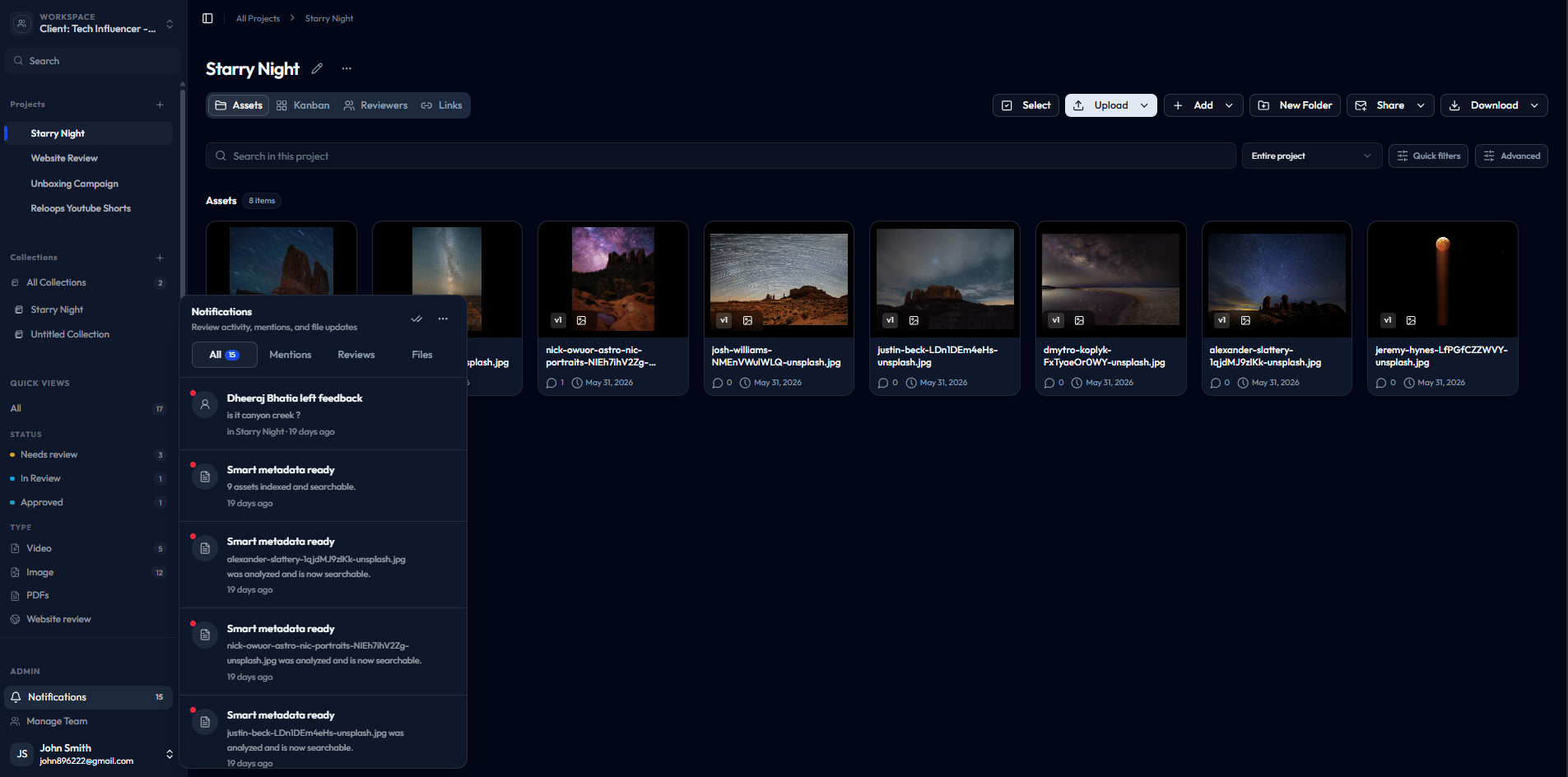
Notifications let you stay on top of review activity without opening every project manually. Whenever a teammate leaves a comment, tags you in feedback, approves or rejects a review, or updates a file, Reloops logs that event and surfaces it in your notifications panel. Open the panel when you return from a break or context-switch between clients to quickly see what changed and what needs a response.
 ## What notifications track
The panel captures three categories of activity:
* **Comments and mentions** - feedback left on assets and any place a teammate has tagged you directly
* **Review activity** - approvals, rejections, and status changes on reviews you are involved in
* **File updates** - asset-level changes that may need your attention, such as new versions or replacements
## Notifications panel tabs
## What notifications track
The panel captures three categories of activity:
* **Comments and mentions** - feedback left on assets and any place a teammate has tagged you directly
* **Review activity** - approvals, rejections, and status changes on reviews you are involved in
* **File updates** - asset-level changes that may need your attention, such as new versions or replacements
## Notifications panel tabs
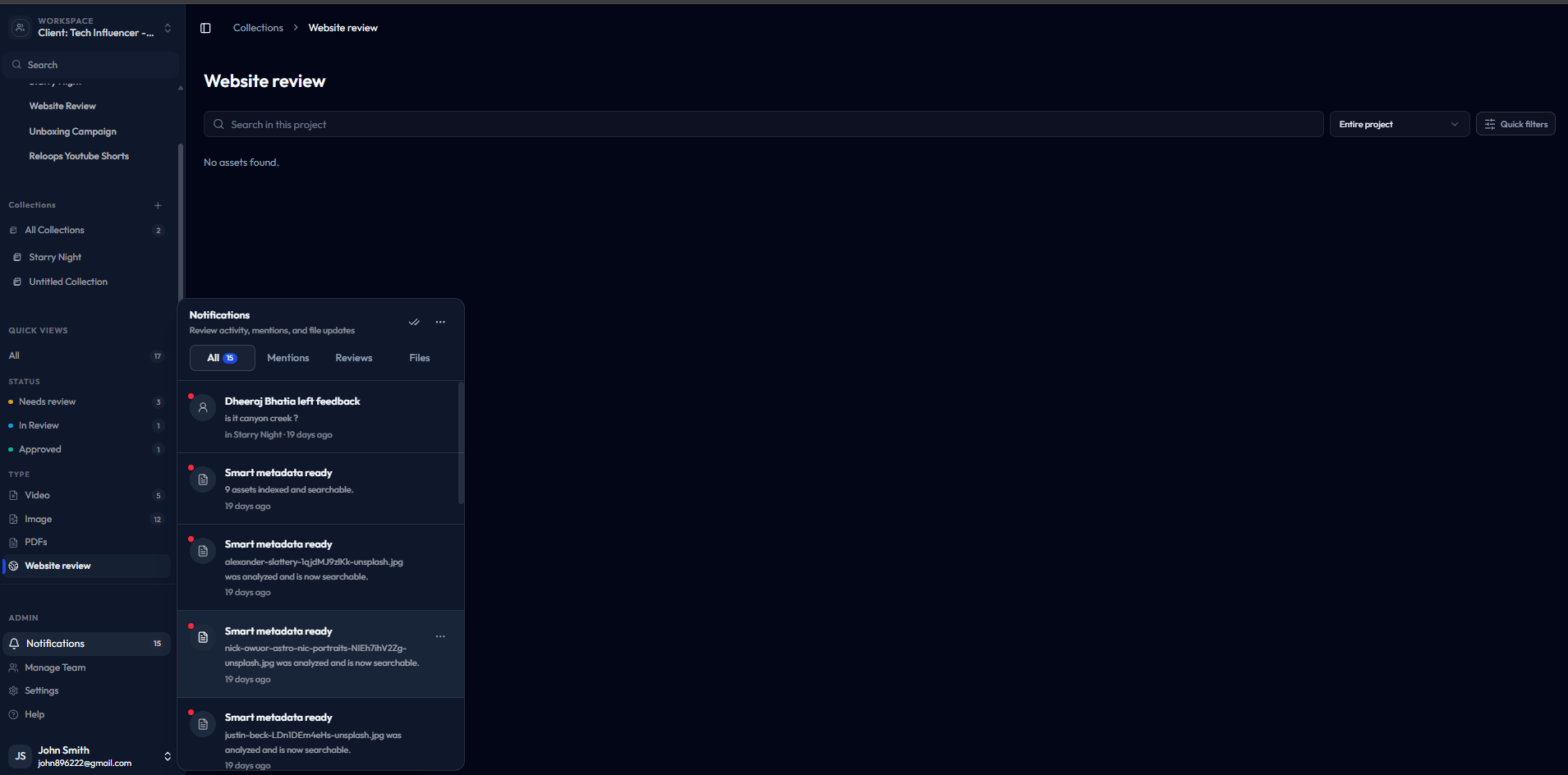 The panel groups all activity into focused tabs so you can scan only what matters to you right now.
| Tab | What it shows | When to use it |
| ------------ | ------------------------------------------------------------------------ | ----------------------------------------------------------------------------- |
| **All** | The complete, unfiltered activity feed across every category | Get a full picture of everything that has happened recently in your workspace |
| **Mentions** | Only the events where a teammate has tagged you by name | Catch direct feedback quickly without scrolling past unrelated activity |
| **Reviews** | Review actions and decisions - approvals, rejections, and status changes | Check the state of in-progress or completed reviews at a glance |
| **Files** | Asset-level updates such as new file versions or replacements | Identify files that have changed and may need re-review or sign-off |
## When to use the notifications panel
Open the panel any time you need to know what changed since you last checked in. Common moments include:
* **After a review deadline** - scan the Reviews tab to confirm all decisions are in
* **When you re-open Reloops** - start with All to get a snapshot of recent activity before diving into a project
* **After sharing assets for feedback** - check Mentions to see if anyone has tagged you with a question or concern
* **Before uploading a new version** - check Files to confirm no one is still reviewing the current version
The panel groups all activity into focused tabs so you can scan only what matters to you right now.
| Tab | What it shows | When to use it |
| ------------ | ------------------------------------------------------------------------ | ----------------------------------------------------------------------------- |
| **All** | The complete, unfiltered activity feed across every category | Get a full picture of everything that has happened recently in your workspace |
| **Mentions** | Only the events where a teammate has tagged you by name | Catch direct feedback quickly without scrolling past unrelated activity |
| **Reviews** | Review actions and decisions - approvals, rejections, and status changes | Check the state of in-progress or completed reviews at a glance |
| **Files** | Asset-level updates such as new file versions or replacements | Identify files that have changed and may need re-review or sign-off |
## When to use the notifications panel
Open the panel any time you need to know what changed since you last checked in. Common moments include:
* **After a review deadline** - scan the Reviews tab to confirm all decisions are in
* **When you re-open Reloops** - start with All to get a snapshot of recent activity before diving into a project
* **After sharing assets for feedback** - check Mentions to see if anyone has tagged you with a question or concern
* **Before uploading a new version** - check Files to confirm no one is still reviewing the current version