> ## Documentation Index
> Fetch the complete documentation index at: https://docs.reloops.app/llms.txt
> Use this file to discover all available pages before exploring further.
# Review Captured Web Pages and Screenshots in Reloops
> Use website review to leave comments and review decisions on captured web pages, landing pages, and full-page screenshots inside Reloops.
Website review gives you the same collaborative review surface as asset review, applied to captured web pages. When a webpage needs structured feedback - stakeholder sign-off, annotation of specific sections, or a formal approval decision - website review keeps all of that in one place alongside the rest of your project work.
## When to use website review
Reach for website review when a page or screenshot-style asset needs feedback in context rather than generic notes passed around by email:
* **Landing pages** - capture the page and collect comments before a campaign goes out
* **Page screenshots** - review a static screenshot when you need feedback locked to a point-in-time state
* **Full-page captures** - use a scrollable full-page capture so reviewers can annotate any section of a long page, not just the visible viewport
## How it works
Create a website review asset from a project with **Add > Capture Web Page**. Enter the live URL, give the capture a title, and Reloops adds the full-page capture to the project as an asset.
Website review uses the same review surface as standard asset review. Once a web page is captured and added to your project as an asset, open it to access the viewer, comment panel, and all review controls:
* Leave **annotations** by clicking anywhere on the captured page to pin feedback to a specific element or region
* Leave **general comments** for overall impressions or approval notes
* **Approve** the page or **request revisions** using the same status controls available on any other asset
* **Share** the captured page with external stakeholders using an asset share link
Because website review lives inside your project, all feedback, version history, and approval decisions stay organized alongside the rest of your assets.
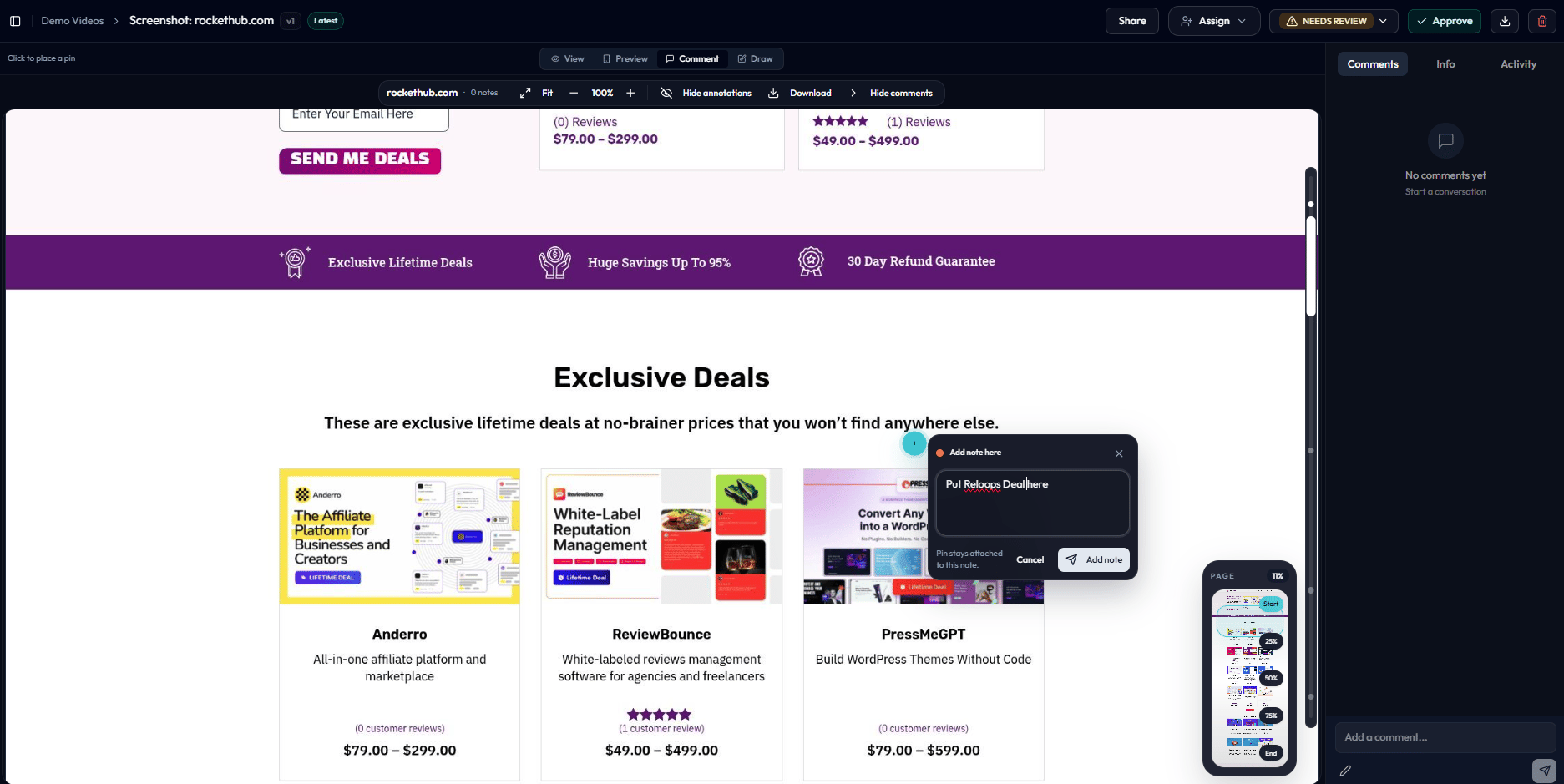 Website review uses the same review surface as standard asset review. Once a web page is captured and added to your project as an asset, open it to access the viewer, comment panel, and all review controls:
* Leave **annotations** by clicking anywhere on the captured page to pin feedback to a specific element or region
* Leave **general comments** for overall impressions or approval notes
* **Approve** the page or **request revisions** using the same status controls available on any other asset
* **Share** the captured page with external stakeholders using an asset share link
Website review uses the same review surface as standard asset review. Once a web page is captured and added to your project as an asset, open it to access the viewer, comment panel, and all review controls:
* Leave **annotations** by clicking anywhere on the captured page to pin feedback to a specific element or region
* Leave **general comments** for overall impressions or approval notes
* **Approve** the page or **request revisions** using the same status controls available on any other asset
* **Share** the captured page with external stakeholders using an asset share link
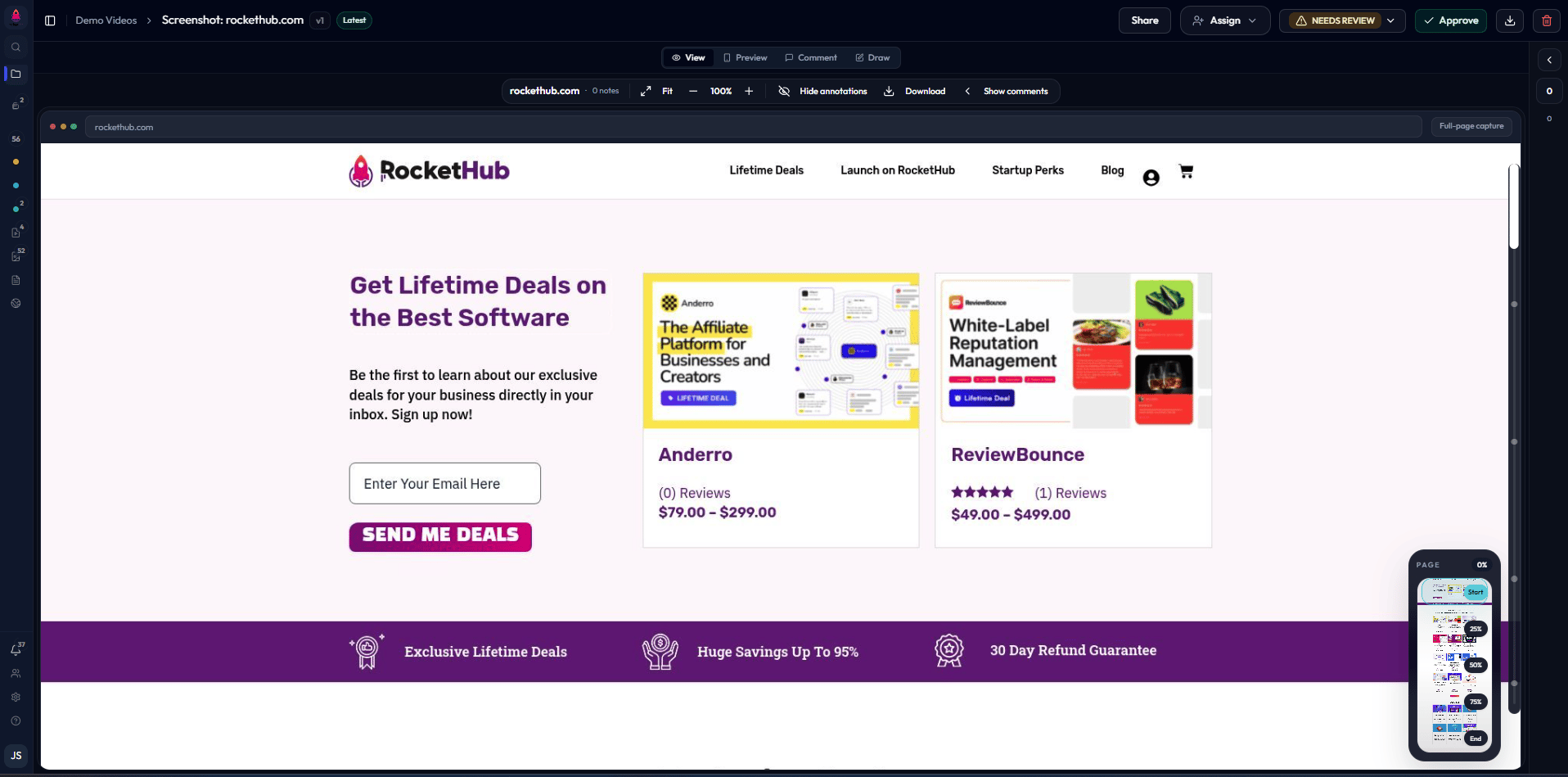 Because website review lives inside your project, all feedback, version history, and approval decisions stay organized alongside the rest of your assets.