> ## Documentation Index
> Fetch the complete documentation index at: https://docs.reloops.app/llms.txt
> Use this file to discover all available pages before exploring further.
# Collections: Curated Asset Galleries in Reloops Workspaces
> Learn what collections are, how they differ from projects, and when to use them to present, review, or share curated sets of assets.
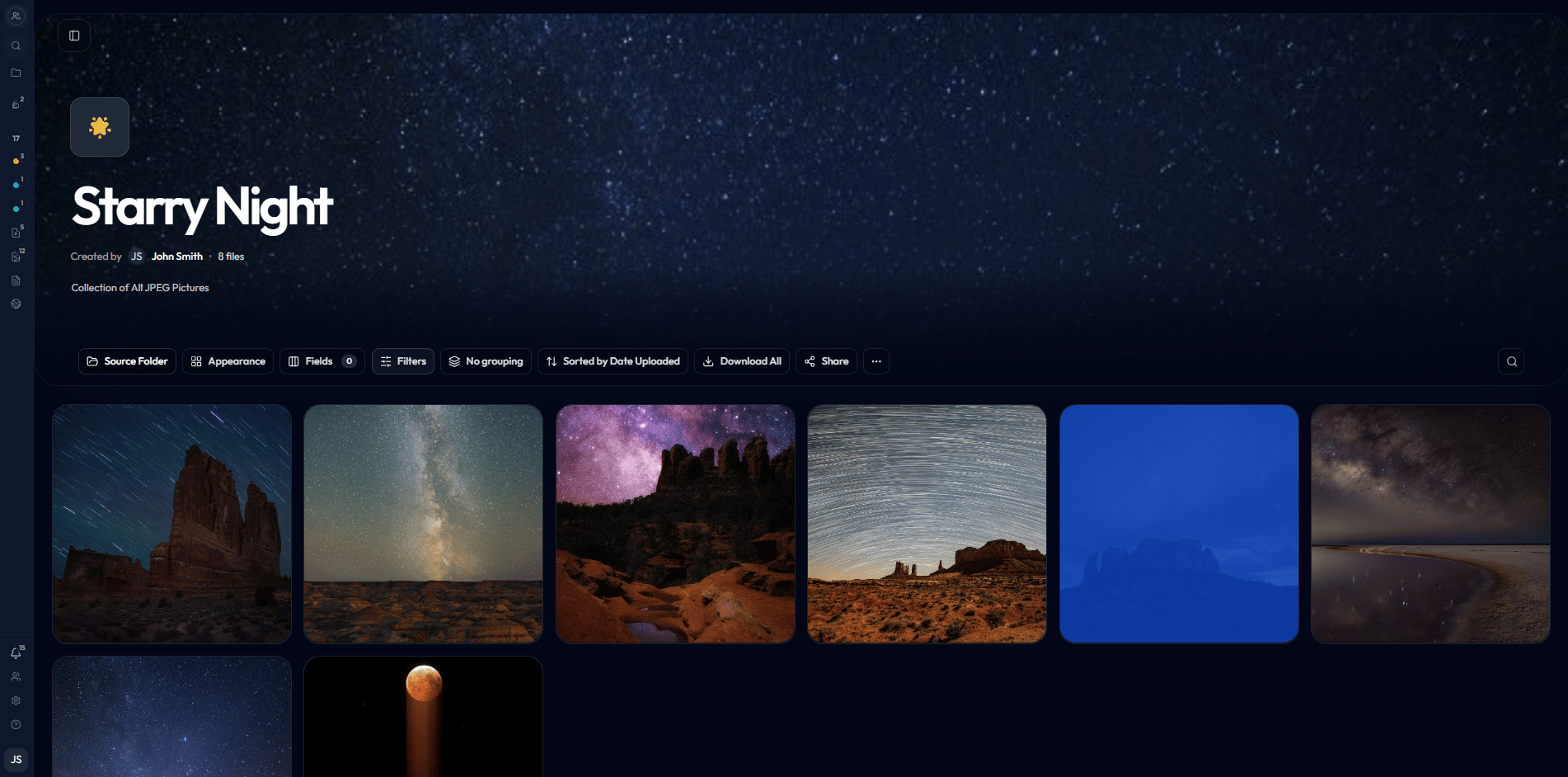
Collections give you a dedicated space to curate and present assets that already live in your projects - without touching or reorganizing the originals. Use them whenever you need a polished, purpose-built view rather than a raw project folder: a gallery for client sign-off, a tightly scoped final-select set, or a reusable internal reference grid you can revisit any time.
Collections are **presentation views**, not file containers. Adding an asset to a collection never moves, copies, or removes it from its source project. Your project structure stays exactly as it is.
 ## How collections differ from projects
A project is where creative work lives - assets are uploaded, versioned, commented on, and tracked through a review workflow. A collection is a *view layer on top of that work*. You point a collection at a project or folder, and Reloops surfaces those assets in a clean gallery you can style and share independently. The same asset can appear in multiple collections while remaining in exactly one place in your project.
Navigate to your collections at `/workspace/:workspaceId/collections` and open a specific collection at `/workspace/:workspaceId/collections/:collectionId`.
## What collections are good for
Present a curated selection of deliverables in a clean, distraction-free grid your clients can browse and approve without seeing your full project structure.
Lock down the exact assets that cleared review and surface them as a definitive approved set - separate from the broader project that produced them.
Pull together related assets from different projects into a single view, such as all brand photography from a campaign spread across multiple shoot folders.
Save frequently referenced groupings - like a motion team's in-progress cuts or a style reference board - and reopen them without rebuilding the selection each time.
## How collections differ from projects
A project is where creative work lives - assets are uploaded, versioned, commented on, and tracked through a review workflow. A collection is a *view layer on top of that work*. You point a collection at a project or folder, and Reloops surfaces those assets in a clean gallery you can style and share independently. The same asset can appear in multiple collections while remaining in exactly one place in your project.
Navigate to your collections at `/workspace/:workspaceId/collections` and open a specific collection at `/workspace/:workspaceId/collections/:collectionId`.
## What collections are good for
Present a curated selection of deliverables in a clean, distraction-free grid your clients can browse and approve without seeing your full project structure.
Lock down the exact assets that cleared review and surface them as a definitive approved set - separate from the broader project that produced them.
Pull together related assets from different projects into a single view, such as all brand photography from a campaign spread across multiple shoot folders.
Save frequently referenced groupings - like a motion team's in-progress cuts or a style reference board - and reopen them without rebuilding the selection each time.